
AI automation is no longer something reserved for large companies with dedicated technology teams.
A freelancer can use AI to turn meeting notes into a follow-up email. A small business can automate responses to common customer questions. A creator can turn one piece of content into several formats. A consultant can automate parts of their research and reporting workflow.
The important distinction is that AI automation does not mean handing your entire business over to AI.
The most useful applications are usually much simpler: identify repetitive work, let AI handle the first step or routine parts, and keep a person involved where judgment matters.
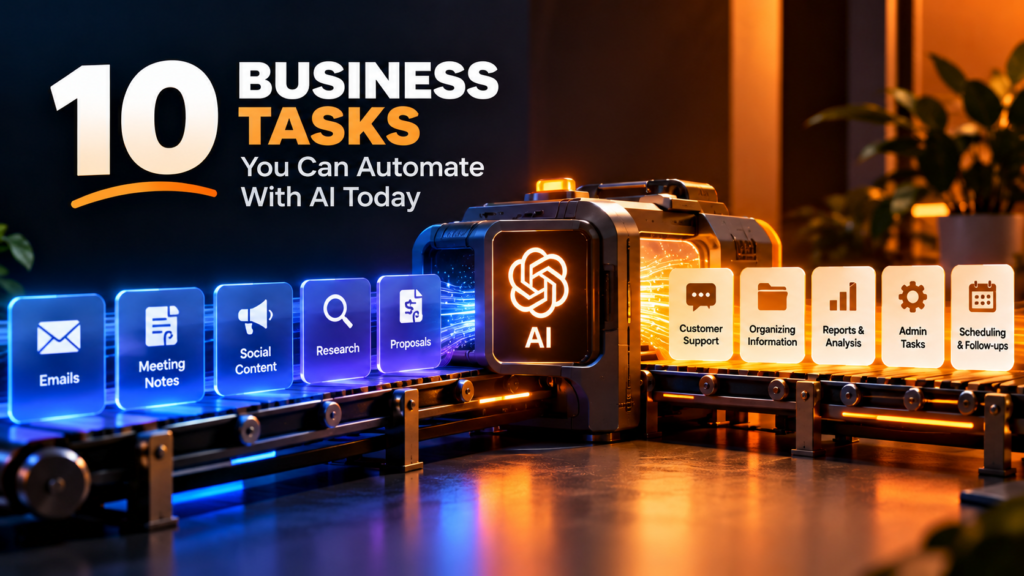
Here are 10 business tasks you can start automating with AI today.
1. Writing and Responding to Routine Emails
Email is one of the easiest places to lose time.
Many business emails are not particularly complicated. They involve answering common questions, confirming appointments, following up with clients, acknowledging requests, or providing information that you have already written many times.
AI can help draft these responses based on the context of the conversation.
For example, imagine a customer sends:
“Hi, I would like to know whether you offer weekend appointments and how much your consultation costs.”
Instead of starting from a blank screen, AI can create a professional response using your actual pricing and availability.
You review it, make any necessary changes, and send it.
What you can automate
- First drafts of routine emails
- Customer follow-ups
- Appointment confirmations
- Meeting follow-ups
- Frequently asked questions
- Professional rewrites
- Internal communication
The key is to give AI the correct information. You should not allow it to invent prices, policies, deadlines, or promises.
2. Turning Meeting Notes Into Action Items
Meetings often create more work than people realize.
Someone has to remember what was discussed, identify decisions, assign tasks, and follow up with everyone involved.
AI can reduce much of this administrative work.
With appropriate meeting notes or a transcript, AI can turn a conversation into a structured summary containing:
- Key decisions
- Action items
- Responsible people
- Deadlines
- Questions that still need answers
- Follow-up points
For example:
Meeting discussion
A client wants a new website launched by October 15. The homepage needs new copy, the designer needs the brand assets, and the client still needs to approve the final pricing page.
AI can turn that discussion into:
Action items
- Copywriter: Update homepage copy
- Client: Send brand assets
- Designer: Prepare pricing page
- Client: Approve final pricing page
- Target launch: October 15
That is much more useful than simply having a paragraph summarizing the meeting.
Where human review matters
AI can misunderstand who agreed to do something or confuse a suggestion with a final decision.
Always verify important action items before distributing them.
3. Creating Social Media Content From Existing Material
Creating every social media post from scratch can become a full-time job.
But businesses often already have plenty of content.
You might have:
- A blog article
- A YouTube video
- A podcast episode
- A customer testimonial
- A presentation
- A webinar
- A product announcement
AI can help transform that existing material into different formats.
One article could become:
- A LinkedIn post
- Several short social posts
- An Instagram caption
- A short video script
- A carousel outline
- Frequently asked questions
- A newsletter section
This is often more useful than asking AI to constantly generate completely new ideas.
The goal is not to publish the same content everywhere without modification.
Instead, use AI to create a starting point and then adapt each version to the platform and audience.
A simple workflow
Long-form content → AI extracts ideas → Human selects the useful ones → AI creates drafts → Human edits → Publish
That can dramatically reduce the amount of repetitive content work.
4. Summarizing Research and Information
Research can take hours because useful information is often scattered across articles, documents, reports, transcripts, and other sources.
AI can help with the first layer of that research.
For example, you can provide a collection of relevant documents and ask AI to:
- Summarize each document
- Identify recurring themes
- Extract important numbers
- Compare different documents
- Create a list of questions
- Organize information by topic
- Turn notes into a structured brief
This can be especially useful when you need to understand a subject before making a business decision.
However, there is an important distinction:
AI can help you process information. It does not automatically make the information true.
For important research, verify claims against the original sources.
This is particularly important for financial, legal, medical, regulatory, and other high-stakes information.
5. Generating Quotes, Proposals, and First Drafts
Freelancers and service businesses often spend significant time preparing proposals.
The work may involve describing the service, explaining the process, outlining deliverables, answering common objections, and presenting the next steps.
AI can turn your existing service information into a structured first draft.
For example, you can provide:
- Client requirements
- Your services
- Deliverables
- Timeline
- Pricing
- Terms
- Previous proposal structure
AI can then help produce a proposal based on that information.
The same approach works for:
- Project briefs
- Statements of work
- Service descriptions
- Business plans
- Project scopes
- Onboarding documents
- Internal reports
The important word here is draft.
AI should help you get from a blank page to a useful document faster. You should still review the final version before sending it to a client.
6. Handling Frequently Asked Customer Questions
If customers repeatedly ask the same questions, you may have an automation opportunity.
Think about the questions your business receives every week.
They might include:
- What are your prices?
- What are your opening hours?
- Where are you located?
- How long does delivery take?
- How do I book?
- What payment methods do you accept?
- What is your return policy?
- What information do you need from me?
These questions can be handled through a combination of a knowledge base, automated responses, forms, chat systems, or AI-powered customer support.
The important part is making sure the AI has access to your actual business information.
A customer support system that confidently gives incorrect information can create more problems than it solves.
A good rule
Automate information retrieval and routine questions.
Escalate complaints, unusual requests, sensitive situations, and decisions requiring judgment to a human.
7. Organizing and Classifying Business Information
Businesses generate enormous amounts of information.
Emails, customer messages, documents, receipts, feedback, enquiries, applications, forms, and internal notes can quickly become difficult to organize.
AI can help classify this information.
For example, incoming enquiries could automatically be categorized as:
- New customer
- Existing customer
- Sales enquiry
- Support request
- Partnership opportunity
- Billing issue
- General question
A business could then route each category to the appropriate workflow or person.
AI can also help extract specific information from documents and organize it into structured fields.
Instead of manually reading every document and copying information into a spreadsheet, you can automate parts of the process.
This is particularly valuable when dealing with large volumes of repetitive information.
8. Turning Customer Feedback Into Useful Insights
Customer feedback is valuable, but reading hundreds of comments individually can be difficult.
AI can help identify patterns across feedback.
For example, suppose a business collects 500 customer comments.
AI could help group them into themes such as:
- Product quality
- Delivery speed
- Customer service
- Pricing
- Website experience
- Payment problems
It can then help identify frequently mentioned issues and summarize what customers are saying.
This does not mean AI should decide what the business must do.
Instead, it gives the business owner a clearer picture of the information that needs attention.
A useful workflow
Collect feedback → AI categorizes responses → Identify recurring themes → Human reviews findings → Decide what to change
That final step should remain with the people responsible for the business.
9. Creating Reports From Structured Data
Many businesses regularly create reports.
Sales reports. Marketing reports. Project updates. Performance summaries. Inventory reports.
If the underlying information is already organized, AI can help turn it into a readable report.
For example, you could provide monthly sales data and ask AI to organize it into:
- Key performance figures
- Changes from the previous period
- Notable trends
- Areas requiring attention
- Questions for further investigation
This can save time spent formatting and explaining information.
But there is an important limitation.
AI should not be trusted to perform important calculations without verification.
For financial or operational reporting, make sure the underlying numbers come from reliable data and that calculations have been checked.
AI is often more useful for explaining the numbers than for being the sole source of truth for those numbers.
10. Repetitive Administrative Work
Some of the best AI automation opportunities are not glamorous.
They are the small tasks you repeat every day.
Things like:
- Renaming and organizing information
- Extracting details from documents
- Creating task lists
- Categorizing enquiries
- Drafting routine updates
- Converting notes into structured information
- Preparing recurring summaries
- Generating checklists
- Updating records
- Preparing follow-up reminders
Each task might only take five or ten minutes.
But if you perform it several times a day, the accumulated time can become significant.
This is where automation becomes interesting.
You are not necessarily trying to replace an employee or build an advanced AI system.
You are simply removing unnecessary repetitive steps from a workflow.
How to Know What You Should Automate
You do not need to automate everything.
A better approach is to look at your work and identify tasks with a few common characteristics.
The task happens frequently
If you do something once every six months, automating it may not be worth the effort.
If you do it every day, it is a stronger candidate.
The process follows a predictable pattern
Tasks are easier to automate when they have clear inputs and outputs.
For example:
New enquiry → Categorize → Draft response → Human review → Send
is easier to automate than:
Figure out what this unusual customer situation means and decide what we should do.
The task is repetitive
If you are essentially doing the same thing over and over, AI can potentially reduce the manual workload.
The consequences of an error are manageable
This is one of the most important considerations.
Automating a social media draft is relatively low risk.
Automatically approving a large refund, signing a contract, or making a major financial decision is very different.
The higher the consequence of an error, the more human oversight you need.
What You Shouldn’t Automate Completely
AI automation works best when it supports human judgment rather than pretending judgment is unnecessary.
Be particularly careful with:
- Legal decisions
- Financial decisions
- Sensitive customer complaints
- Employment decisions
- Confidential information
- Major purchases
- Contracts
- Security-related actions
- Public statements that could affect your reputation
There is also the issue of privacy.
Before connecting an AI service to business data, understand what information you are sharing, how it is processed, what controls are available, and whether the service fits your organization’s privacy requirements.
Convenience should not come at the expense of protecting customer or business information.
A Simple Way to Start Automating Your Business
You do not need to redesign your entire business.
Start with one repetitive task.
For example:
Step 1: Identify the task
Choose something you perform frequently.
Step 2: Document the current process
Write down what happens from beginning to end.
Step 3: Identify the repetitive part
Ask: which part could AI reasonably handle?
Step 4: Build a small automation
Start with one step rather than trying to automate the entire process.
Step 5: Add human review
Check the AI’s output before it reaches the customer or affects an important business decision.
Step 6: Measure the result
Did the automation actually save time? Did it reduce errors? Did it make the workflow easier?
If the answer is yes, improve it.
If not, change the workflow or remove the automation.
The Goal Isn’t More AI. It’s Less Unnecessary Work.
AI automation is most valuable when you stop thinking about AI as a technology you need to use and start thinking about it as a tool for removing friction.
You do not need an AI agent managing every part of your company.
You might simply need AI to turn meeting notes into tasks, draft routine emails, summarize research, organize enquiries, or repurpose content.
Those small improvements can add up.
The best automation is often the one that quietly removes a repetitive task from your day without making your workflow harder to understand.
Start with one task.
Automate what makes sense.
Keep humans involved where judgment matters.
Then build from there.