
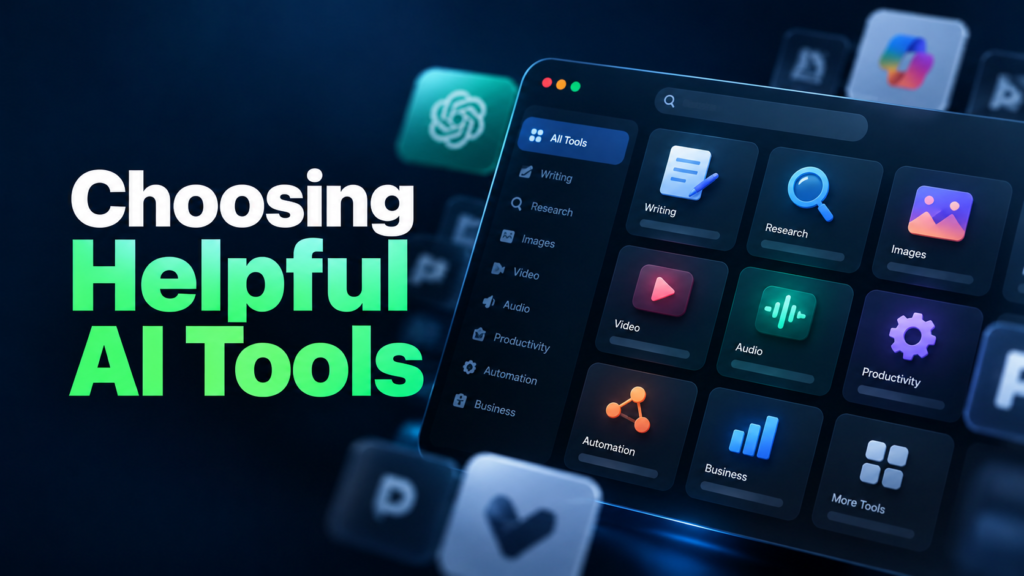
There are AI tools for writing, research, video editing, customer support, data analysis, automation, and dozens of other tasks. New options appear constantly, and many promise to save time or make work easier.
The challenge is not finding an AI tool. It is finding one that solves your particular problem without adding unnecessary cost or complexity.
A tool that works well for a content creator may be a poor fit for a small business owner. Likewise, the most advanced AI platform is not automatically the best choice for someone who needs help with a few everyday tasks.
The right approach is to start with what you need to accomplish, then evaluate the tools that can help you do it.
1. Start With the Problem, Not the Tool
Before signing up for an AI platform, identify the task you want to improve.
Ask yourself three questions:
- What task takes too much time?
- What part of the task is difficult, repetitive, or frustrating?
- What would a useful result look like?
For example, a content creator might spend hours turning long videos into short clips. A small business owner might struggle to respond to customer enquiries quickly. A freelancer might need help researching topics or organizing project notes.
These are different problems, so they require different solutions.
Example: If your main challenge is writing first drafts, an AI writing assistant may be sufficient. If you need to publish those drafts, format them, and distribute them automatically, you may need a broader workflow or automation platform.
Be specific about the problem. The clearer your objective, the easier it becomes to judge whether a tool is useful.
2. Identify the Type of AI Tool You Need
AI tools serve different purposes. Understanding the main categories helps you narrow your search.
| Tool category | What it helps you do |
|---|---|
| AI assistants | Brainstorm, explain concepts, draft content, and solve everyday problems |
| Research tools | Find information, summarize sources, and investigate topics |
| Writing tools | Improve drafts, adjust tone, and edit text |
| Image and design tools | Generate visuals, edit images, and create design concepts |
| Video and audio tools | Edit footage, generate captions, clean audio, and create voiceovers |
| Coding tools | Write, explain, debug, and review code |
| Automation tools | Connect apps and automate repetitive workflows |
| Business AI tools | Support customer service, sales, reporting, and other business processes |
These categories can overlap. Some general-purpose assistants can analyze documents, generate images, search the web, or perform actions, while specialized platforms focus on one particular task.
You do not need to choose a tool from every category. Focus on the ones that match your actual workload.
3. Compare Features That Matter to You
AI platforms often advertise a long list of features. That does not mean you need all of them.
Choose a few requirements that are essential for your work, then compare tools against those requirements.
For example, if you need an AI tool for research, you might prioritize:
- Access to current information when necessary
- Links to sources so you can verify claims
- The ability to work with documents
- Clear summaries of complex topics
- A price that fits your budget
If you need a tool for video editing, your priorities might be different: accurate captions, support for your video format, good editing controls, and exports without unwanted watermarks.
Separate must-have features from features that would simply be nice to have. This prevents impressive demonstrations from distracting you from the task you actually need to complete.
4. Test the Free Version Before Paying
Whenever possible, try a free plan, trial, or limited demonstration before committing to a subscription.
However, do not judge a tool only by its first response. Test it with a task you genuinely perform.
For example, if you want an AI writing assistant, give it a realistic brief and check whether the result is accurate, relevant, and easy to edit. If you want a research tool, ask a question that requires reliable sources and verify the information it provides.
During your test, consider:
- Output quality: Does it produce results you can actually use?
- Consistency: Does it perform reasonably well across several attempts?
- Ease of use: Can you complete the task without a complicated setup?
- Editing time: How much work is required to correct its output?
- Limitations: Are usage caps, watermarks, or missing features a problem?
A free plan may be enough for occasional use. If you need more capacity or advanced features, a paid plan may be worthwhile.
Check the current plan details before subscribing because free allowances, prices, and feature limits can change.
5. Consider the Total Cost, Not Just the Subscription Price
A low monthly fee does not automatically make a tool affordable, and a free tool is not necessarily the cheapest option in practice.
Consider the full cost of using it, including:
- Subscription fees and usage limits
- Additional credits or paid features
- Time spent learning the platform
- Time spent correcting poor results
- Other subscriptions needed to complete the workflow
Imagine two tools that can summarize meeting notes. One is free but requires considerable manual cleanup. Another costs a modest monthly fee but produces consistently usable summaries and fits into your existing workflow.
Depending on how frequently you use it, the paid option may offer better value.
At the same time, do not pay for features you rarely use. Start with the simplest option that meets your needs, and upgrade only when you can identify a real limitation.
6. Check Privacy and Data Security
This step is particularly important if you use AI for work or business.
Before uploading information, understand how the platform handles your data. Review its privacy policy, data-use settings, retention practices, and available controls.
Be especially careful with:
- Customer records and personal information
- Passwords, authentication codes, and API keys
- Financial documents and payment information
- Confidential business plans
- Unpublished client work or sensitive contracts
A tool that produces excellent results may still be unsuitable if its data practices do not meet your requirements.
For business use, check whether the provider offers appropriate administrative controls, contractual protections, and data-handling terms. Requirements vary depending on the type of information and the rules that apply to your organization.
When in doubt, use fictional or anonymized examples while testing a platform. Never assume that information is private simply because you are using a paid account.
7. Check How Well It Fits Your Existing Workflow
An AI tool should make your work easier, not create another complicated process.
Consider where the tool fits into the task from beginning to end.
For example, a freelancer who writes articles may need to move between research, drafting, editing, and publishing. A tool that works smoothly with existing documents and content systems may be more useful than one with impressive standalone features but no convenient way to transfer the results.
Look for practical benefits such as:
- Integrations with apps you already use
- Easy document import and export
- Support for your preferred file formats
- Collaboration features, if you work with a team
- Automation options for genuinely repetitive tasks
You do not need to automate everything. Sometimes, a simple AI assistant that helps with one difficult step is more useful than building an elaborate system around several platforms.
8. Verify Accuracy and Know When Human Judgment Is Needed
AI-generated content can be convincing without being correct.
Depending on the task, a tool may invent facts, misunderstand instructions, misinterpret a document, or produce results that sound polished but contain important errors.
Before relying on an AI tool, consider the consequences of a mistake.
For low-risk tasks, such as brainstorming video titles, a quick review may be enough. For research, financial analysis, legal documents, health information, or business decisions, you may need more rigorous verification and qualified human judgment.
Check important claims against reliable sources. Review calculations and extracted data. Test automated actions before allowing them to run without supervision.
The goal is not to find an AI tool that never makes mistakes. It is to find one whose limitations you understand and whose results you can verify appropriately.
9. Compare Two or Three Tools With the Same Task
If several platforms look promising, test them side by side.
Use the same prompt, document, or task wherever possible. Give each tool the same instructions and compare the results using a consistent set of criteria.
For example, if you are choosing an AI assistant, you could score each option on a scale of one to five:
| Criterion | What to evaluate |
|---|---|
| Quality | How useful and accurate is the result? |
| Ease of use | How much effort does the task require? |
| Reliability | Does the tool perform consistently? |
| Cost | Is the value reasonable for your usage? |
| Privacy | Are its data practices suitable for your needs? |
| Workflow fit | Does it work with your existing process? |
You can assign more importance to the criteria that matter most. For instance, privacy may be essential for a business handling customer information, while output quality and editing time may matter most to a freelance writer.
Avoid testing too many tools at once. Comparing two or three serious candidates is usually more useful than signing up for every platform you encounter.
10. Review Your Choice After Using It
A tool that seems promising during a short trial may not be worth keeping after several weeks of real use.
After using it regularly, ask:
- Is it saving me meaningful time?
- Is the quality of my work improving?
- Am I using it often enough to justify the cost?
- Does it reduce friction, or create more steps?
- Would a simpler or cheaper option do the job?
If the tool is not delivering practical value, cancel the subscription or look for an alternative.
Your needs can also change. As your workload grows, you may need more advanced features. If your requirements become simpler, you may be able to switch to a free or more focused option.
Treat choosing an AI tool as an ongoing decision, not a permanent commitment.
A Simple Checklist Before Choosing Any AI Tool
Use this checklist when evaluating your next AI platform.
- I know the specific problem I want to solve.
- The tool supports the task I need to complete.
- I have tested it with a realistic example.
- Its output quality is good enough for my needs.
- I understand its pricing and usage limits.
- Its privacy practices are suitable for the information I will use.
- It fits my existing workflow.
- I know how I will check its results.
- The expected benefit justifies the cost and effort.
You do not need every feature or the most expensive plan. You need a tool that performs the right task well, fits your budget, and helps you work more effectively.
Final Thoughts
Choosing the right AI tool becomes much easier when you stop asking which platform is the best overall and start asking which one is best for your particular task.
Identify the problem, narrow your options, test realistic examples, check privacy and pricing, and measure the results. If a tool does not improve your work enough to justify its cost or complexity, move on.
Start small. One well-chosen tool that solves a real problem is often more valuable than a collection of subscriptions you barely use.
The aim is not to use more AI. It is to use the right AI where it makes a meaningful difference.